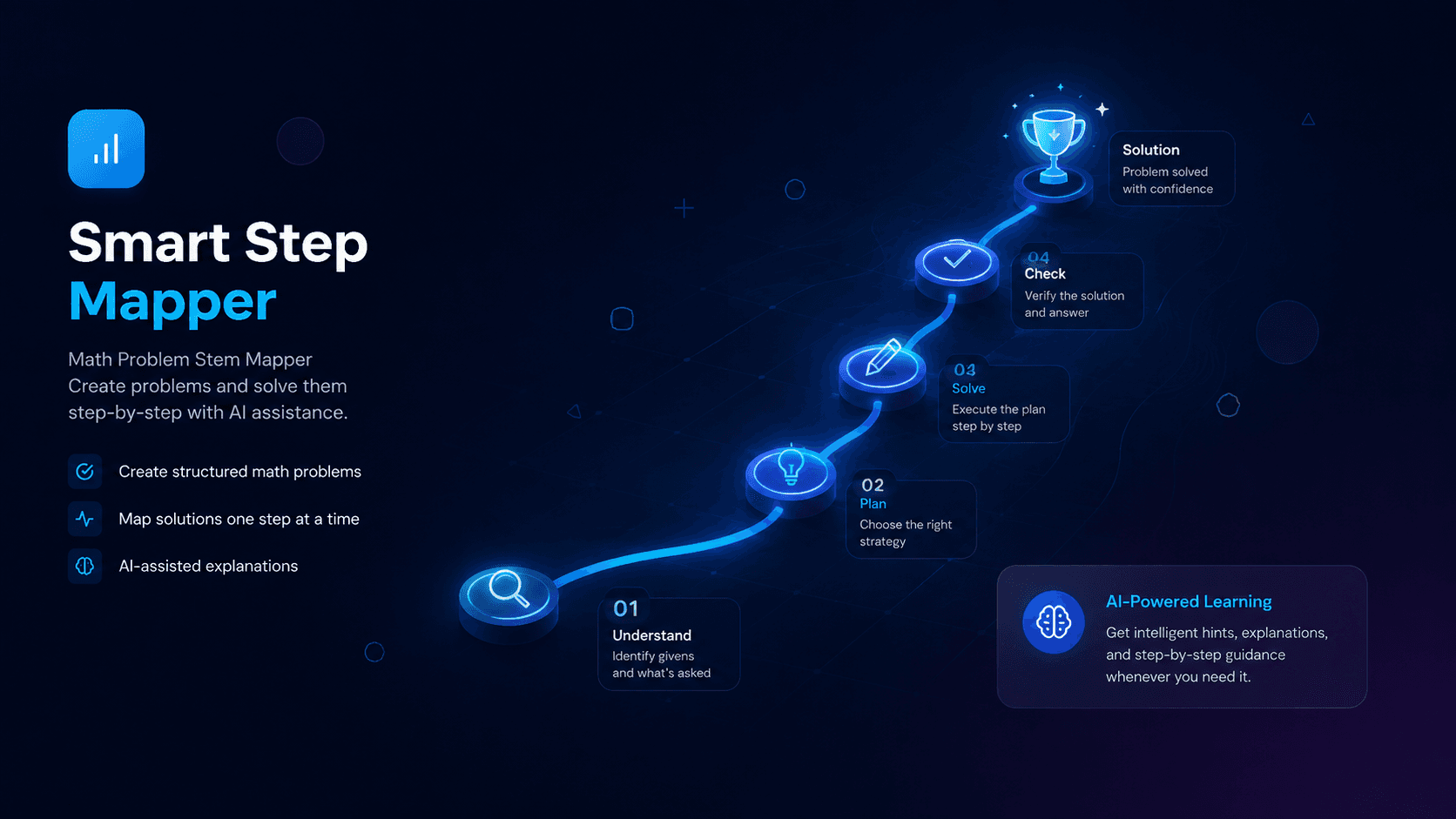
Smart Step Mapper
A math learning platform where students break problems into step-by-step maps, track their progress, and build accuracy through daily practice.
Smart Step Mapper helps students organize their mathematical thinking: they break a problem down into a visual, step-by-step map, then work through each step while tracking their progress and accuracy over time. Built collaboratively as a full-stack SvelteKit application — type-safe end to end with oRPC and Drizzle on PostgreSQL, with a polished Tailwind CSS dashboard.
Tech Stack
 SvelteKit
 TypeScript
 Tailwind CSS
 PostgreSQL
 Bun
Bun React Query
README
smart-step-mapper
This project was created with Better-T-Stack, a modern TypeScript stack that combines SvelteKit, Self, ORPC, and more.
Features
- TypeScript - For type safety and improved developer experience
- SvelteKit - Web framework for building Svelte apps
- TailwindCSS - Utility-first CSS for rapid UI development
- oRPC - End-to-end type-safe APIs with OpenAPI integration
- Drizzle - TypeScript-first ORM
- PostgreSQL - Database engine
- Oxlint - Oxlint + Oxfmt (linting & formatting)
- Vite+ - Unified Vite toolchain, workspace task runner, linting, and formatting
Getting Started
First, install the dependencies:
bun install
Database Setup
This project uses PostgreSQL with Drizzle ORM.
-
Make sure you have a PostgreSQL database set up.
-
Update your
apps/web/.envfile with your PostgreSQL connection details. -
Apply the schema to your database:
bun run db:push
- Seed the topics (required — the topic picker on the create-map page reads from this table):
bun run db:seed
Then, run the development server:
bun run dev
Open http://localhost:5173 in your browser to see the fullstack application.
Deployment
Vercel Services
- Target: web + server
- Config:
vercel.json - Link the project first: bun run deploy:setup
- Local Vercel dev: bun run dev:vercel
- Sync preview env: bun run env:preview
- Sync production env: bun run env:production
- Dry-run check (no upload): bun run deploy:check
- Preview deploy: bun run deploy
- Production deploy: bun run deploy:prod
Vercel Services share project environment variables, but deploys do not upload local
.envfiles automatically. Link the project withvercel link, then run the env sync command before your first deploy (otherwise the deployment starts with no env vars), or pass one-off envs withvercel deploy -e KEY=value. Pass Vercel CLI flags to the env sync command directly, for example:bun run env:production --scope your-team.
For more details, see the guide on Deploying to Vercel.
Git Hooks and Formatting
- Optional native Vite+ hooks:
bun run hooks:setup - Docs: Vite+ commit hooks
- Run checks:
bun run check
Project Structure
smart-step-mapper/
├── apps/
│   └── web/         # Fullstack application (SvelteKit)
├── packages/
│   ├── api/         # API layer / business logic
│   └── db/          # Database schema & queries
Available Scripts
bun run dev: Start all applications in development modebun run build: Build all applicationsbun run dev:web: Start only the web applicationbun run check-types: Check TypeScript types across all appsbun run db:push: Push schema changes to databasebun run db:generate: Generate database client/typesbun run db:migrate: Run database migrationsbun run db:studio: Open database studio UIbun run check: Run Vite+ format/lint checks and workspace TypeScript checksbun run lint: Run Vite+ lint checksbun run format: Run Vite+ formattingbun run staged: Run Vite+ checks against staged filesbun run hooks:setup: Install Vite+ native Git hooks withvp configbun run deploy:setup: Link this repo to a Vercel project (first-time setup)bun run dev:vercel: Run the Vercel Services dev environment locallybun run env:preview: Sync local env files to the Vercel preview environmentbun run env:production: Sync local env files to the Vercel production environmentbun run deploy: Create a Vercel preview deploymentbun run deploy:prod: Deploy to Vercel productionbun run deploy:check: Dry-run a deploy to preview framework detection and included files without uploading
Last updated: August 22, 2026